See it in action
Short walkthroughs of the real application, plus a screenshot tour of the console below.
Try the real application
This is the actual IDRuns console running live, not a recording. Press launch and you are signed in automatically as the shared demo user. A 30-second guided tour points out the menus, Job Activity and Job Definitions the first time; then click through them yourself, open a job, build a job group, run one and watch it complete.
The full IDRuns console, in this window
No account or install needed. Loads the live demo instance.
Everyone shares one demo account. You can build and run jobs (use the command
sleep <seconds>), groups, calendars, actions and
events in the demo workgroup; everything else is read-only,
and other visitors can see what you create. Prefer a bigger window?
Open the demo in a new tab
(credentials demo / demo).
A tour of the console
IDRuns is a single web console, split into four workspaces: Operations to watch and control what is running today, Definitions to build jobs, events, calendars and orchestration pipelines, Administration for agents, users and connections, and Reports for forecasts, SLAs and history. Step through the screens below, or let it play.
-
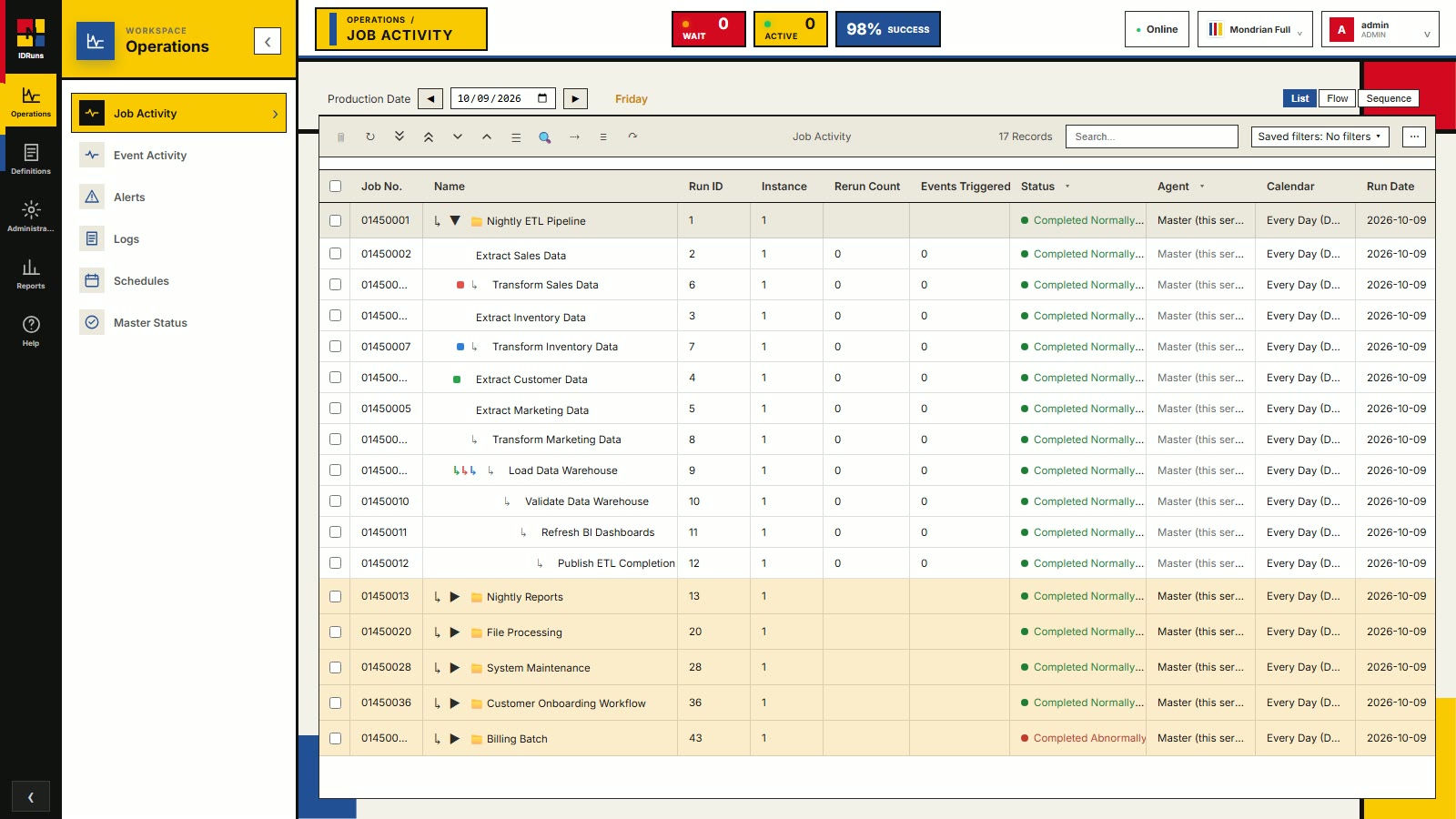
Operations
Today's runs at a glance
Every job and group scheduled for the production date, with live status, agent, calendar and run times. Expand a group to see its member jobs. The header counters show what is waiting, what is active, and the success rate.
-
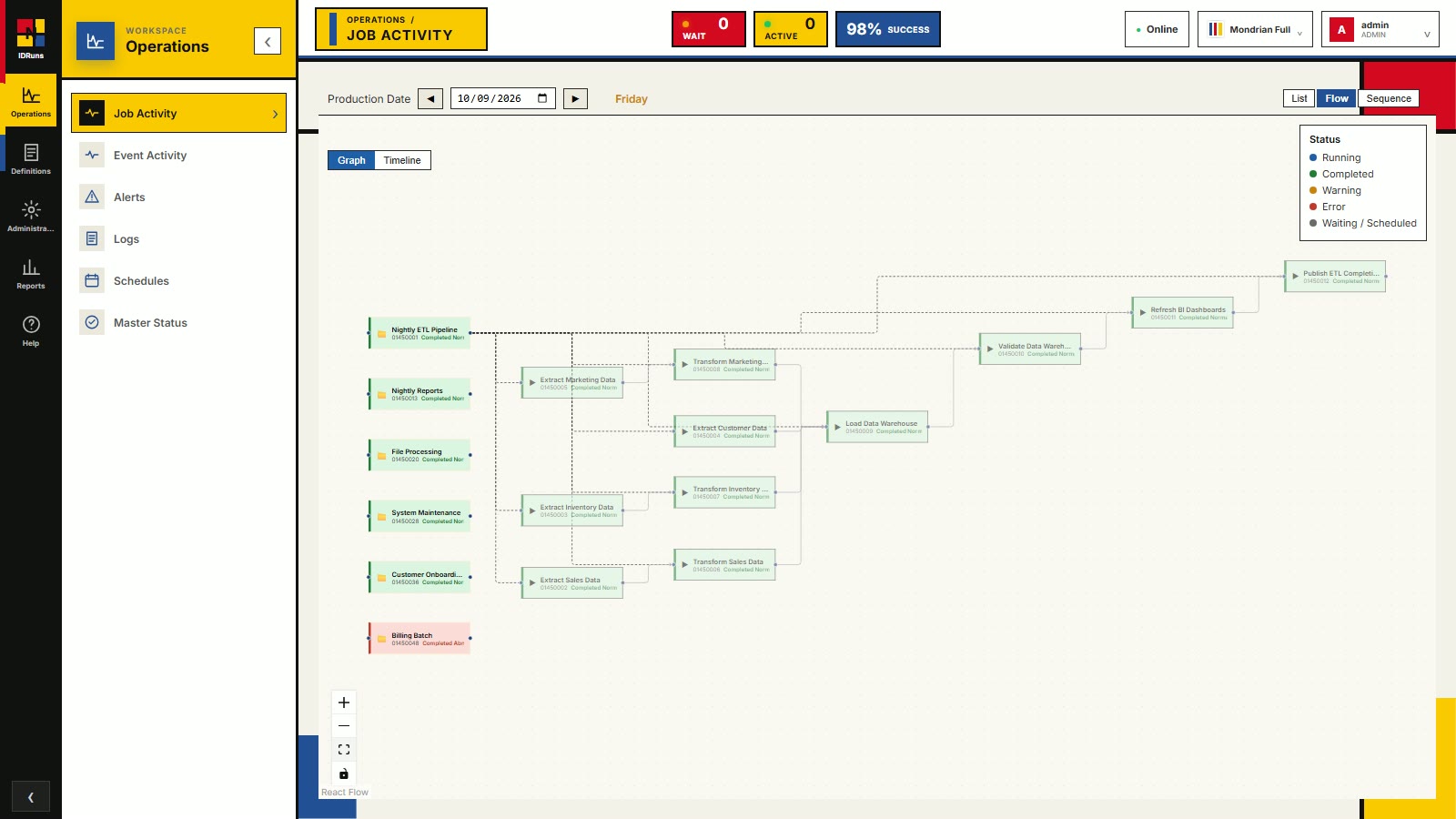
Operations
Dependency flow graph
The same day drawn as a graph. Arrows are dependencies and colour shows state: running, completed, warning, error or waiting. A timeline view sits alongside the graph.
-
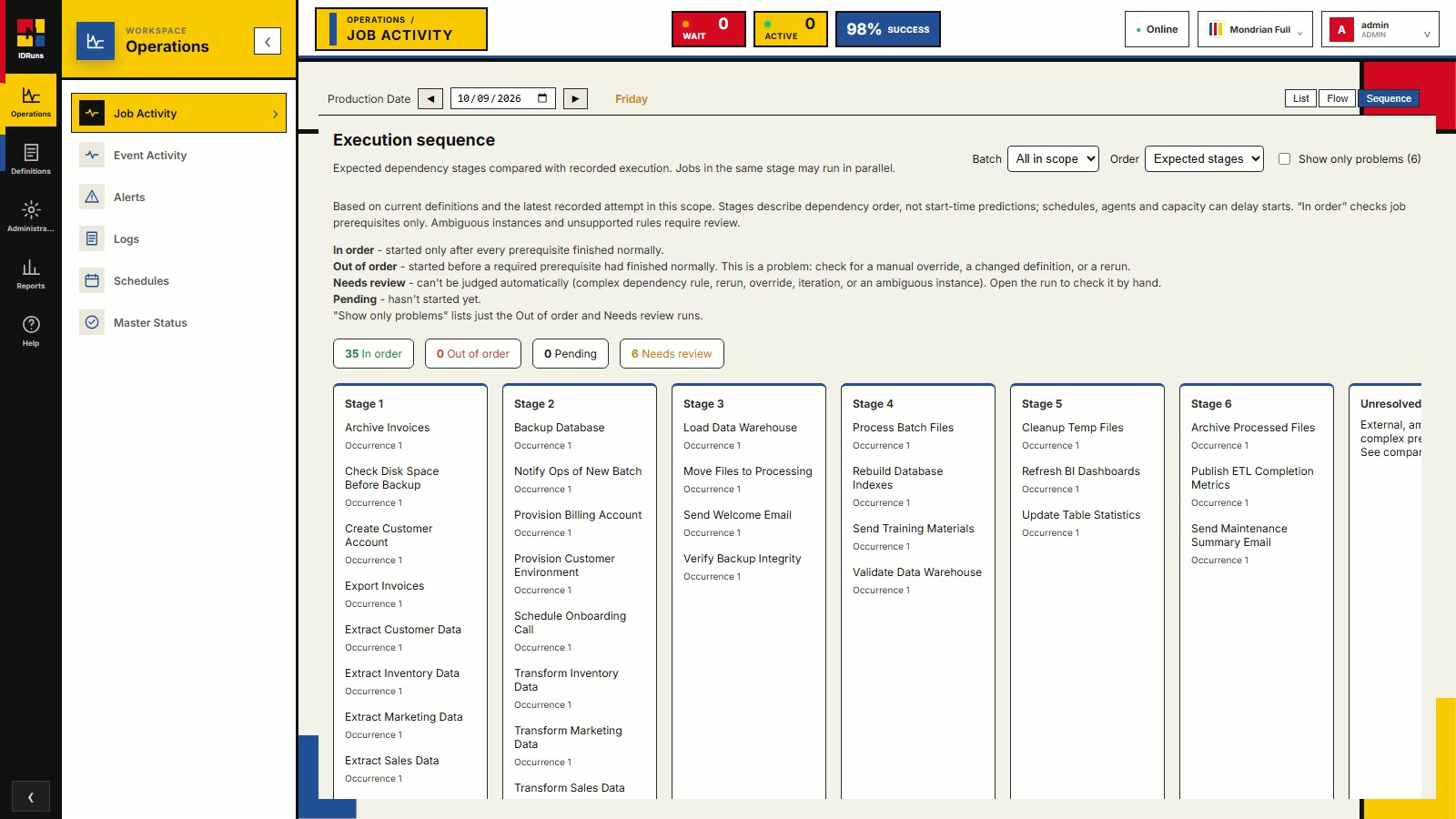
Operations
Execution sequence
Jobs grouped into dependency stages, with a check that each one ran in the right order. Counters flag jobs that are in order, out of order, pending, or need review.
-
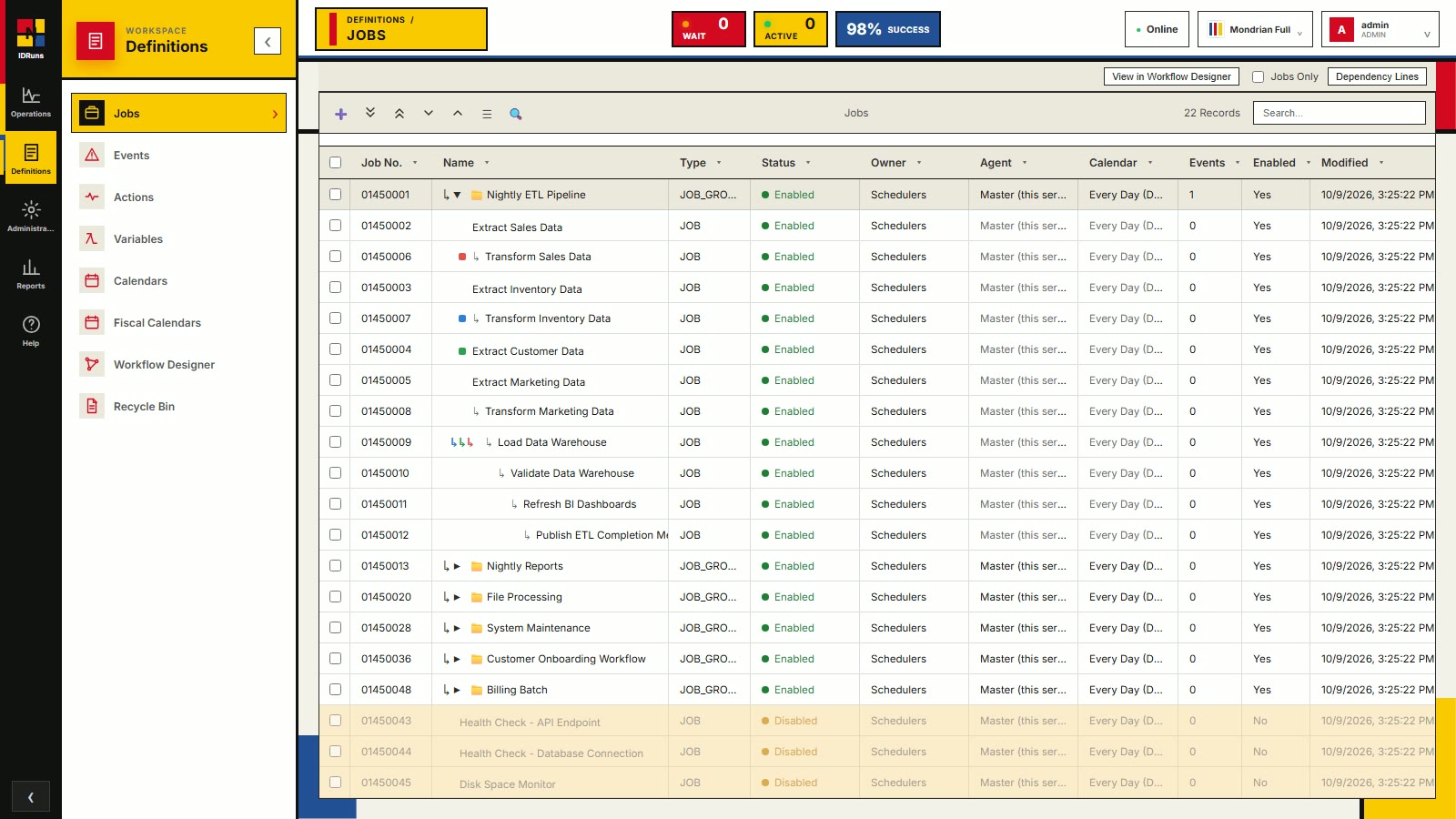
Definitions
Job definitions
A tree of job groups and jobs, with type, status, owner, agent and calendar visible at a glance. Disabled jobs are greyed out, and settings can be inherited down the tree.
-
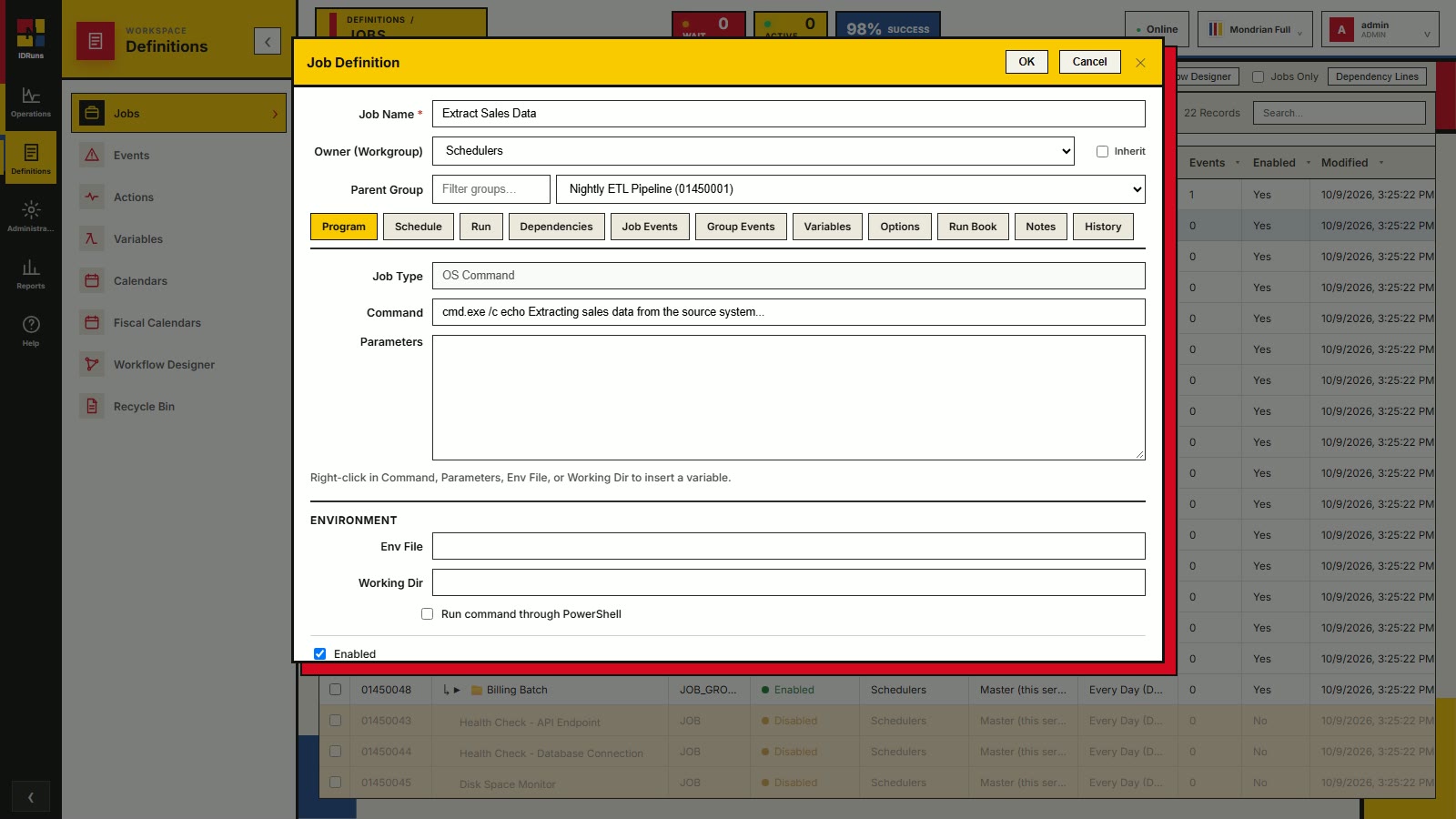
Definitions
Define a job
Set the command, parameters, environment file and working directory. Tabs cover the schedule, run options, dependencies, events, variables, run book and history.
-
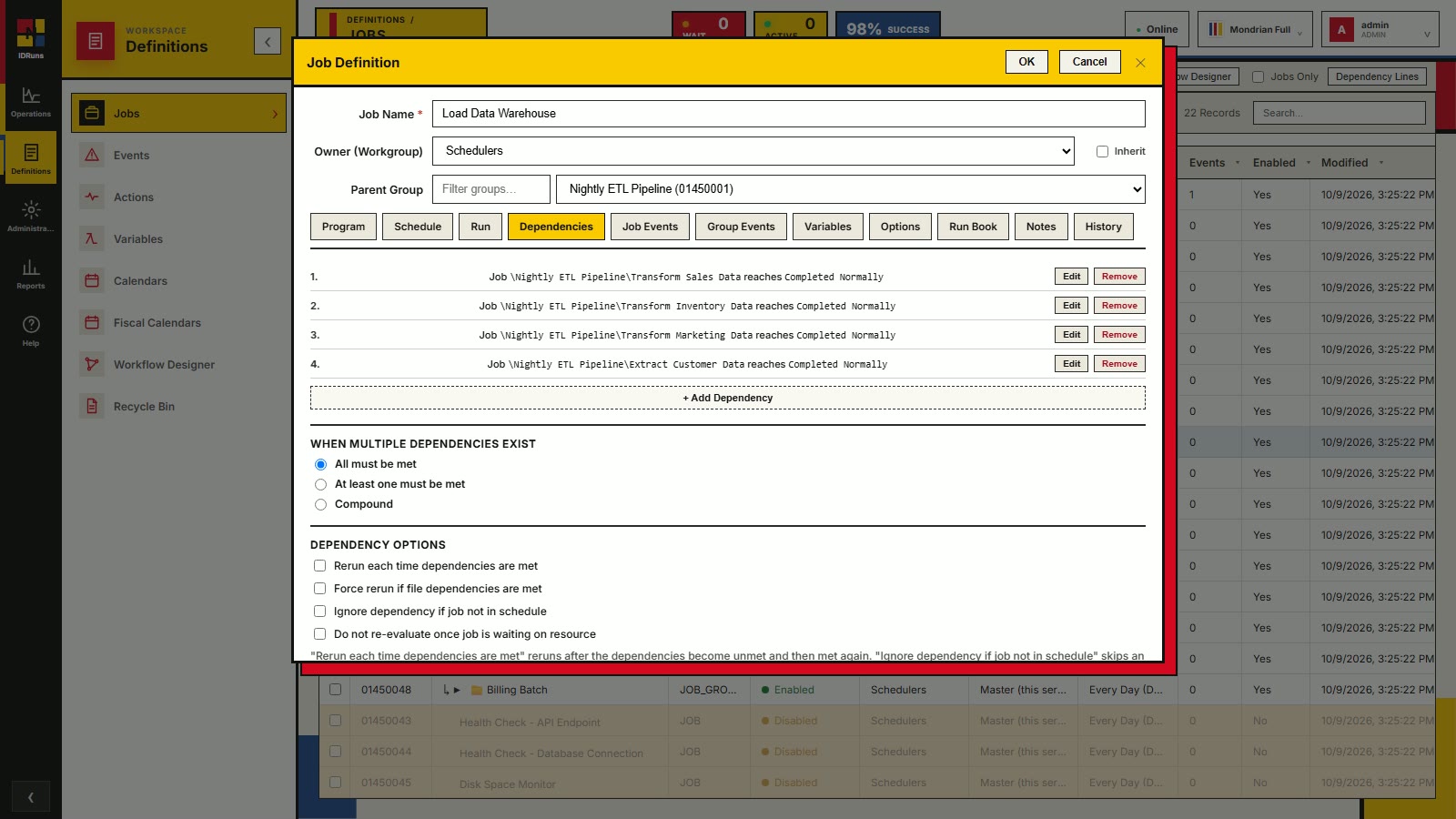
Definitions
Dependencies
Make a job wait until other jobs reach a state such as Completed Normally. Require all conditions, at least one, or a compound expression, with options for reruns and unscheduled predecessors.
-
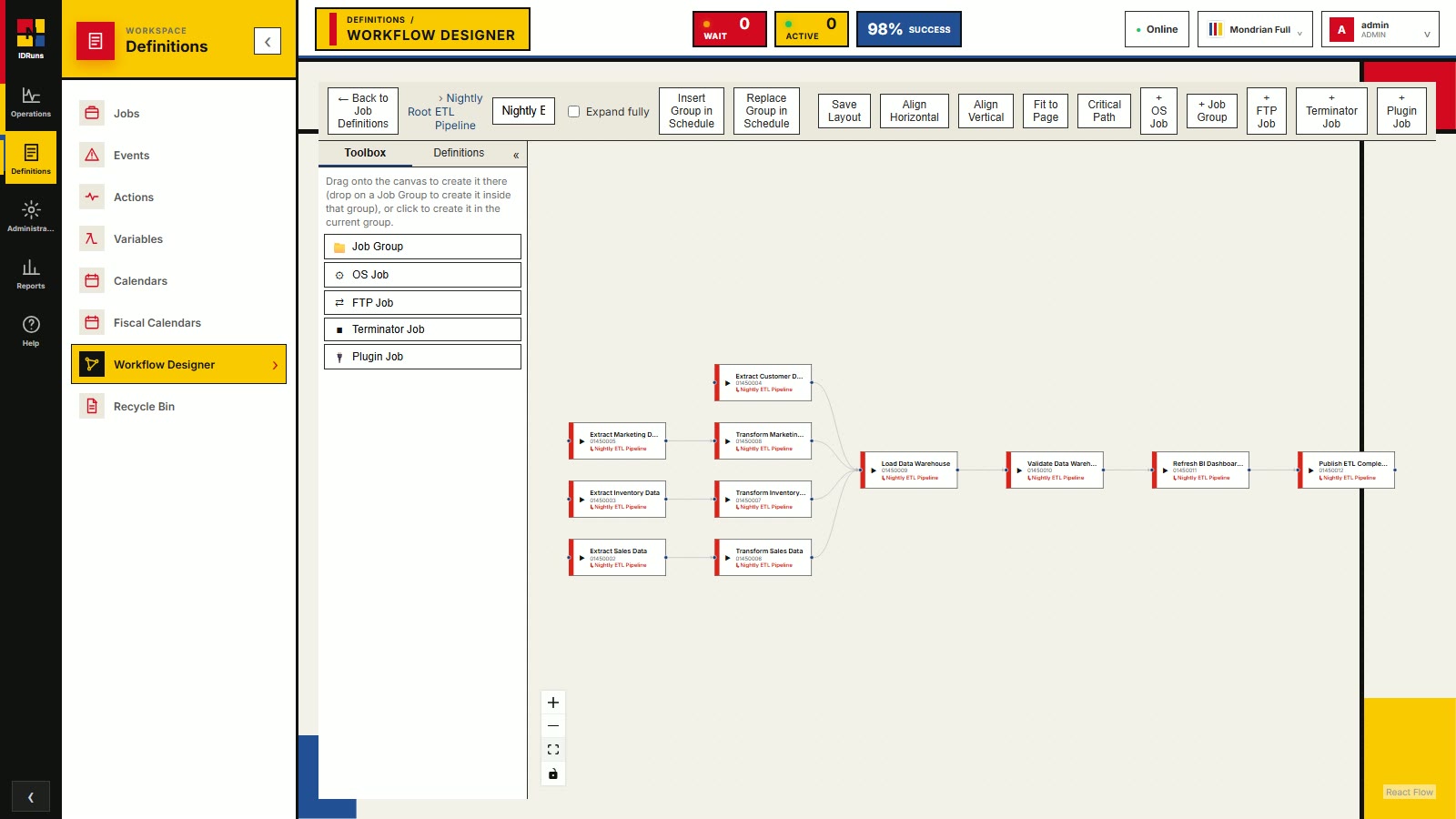
Definitions
Workflow designer
Lay out a job group visually. Drag in OS, FTP, plugin and terminator jobs, align the graph, and save the layout. It is the same data as the job tree, drawn as a flow.
-
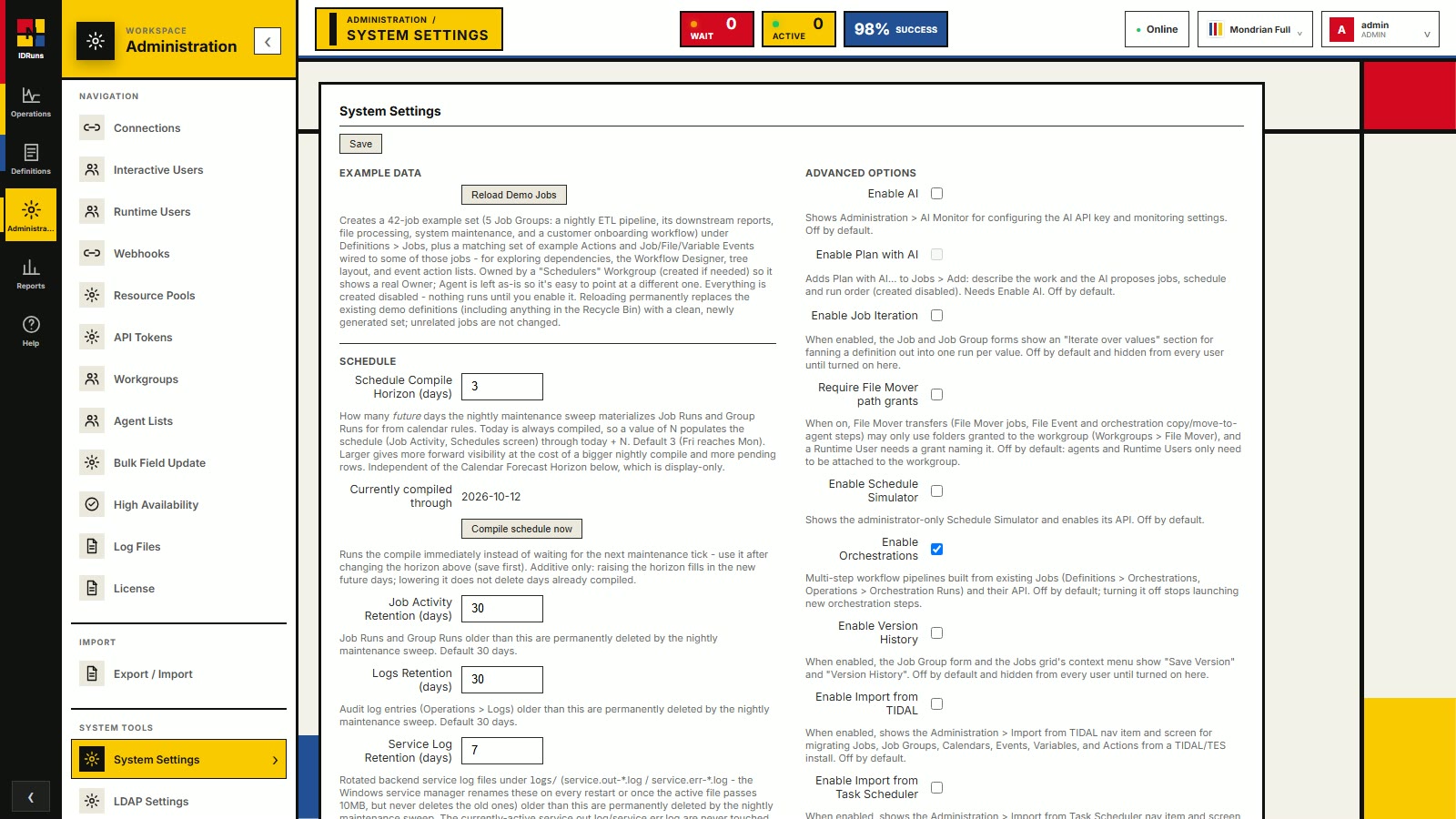
Administration
System settings
Turn on the features you need. Orchestrations, job iteration, the schedule simulator, version history and imports are off by default and appear in the menus once an administrator enables them. Retention periods and schedule horizon are set here too.
-
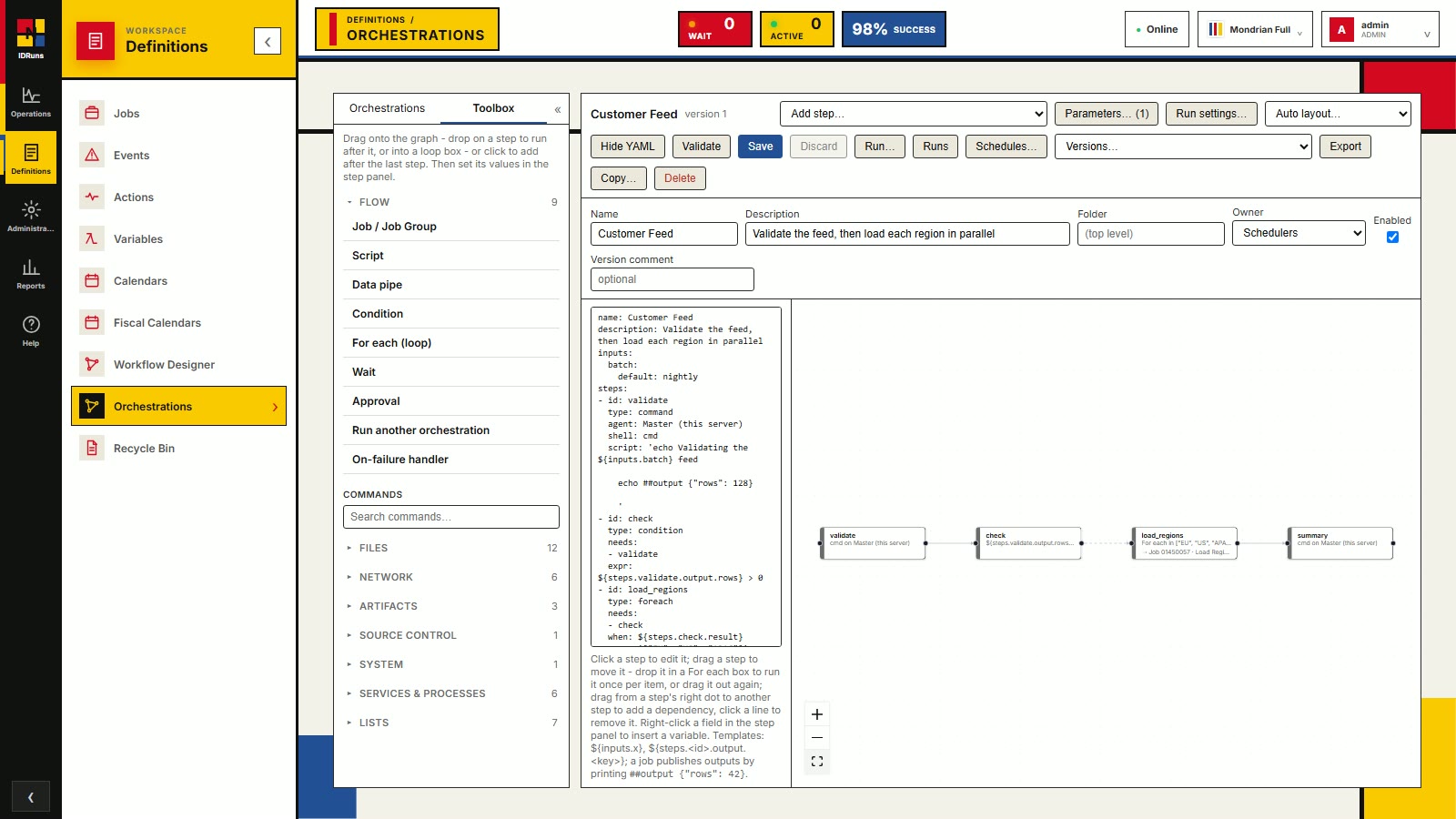
Definitions
Orchestration pipelines
Build multi-step pipelines from your existing jobs. Define the pipeline in YAML or drag steps onto the graph: job, script, condition, for-each loop, wait, approval and on-failure handler, plus a command library for files, network, artifacts and more. Validate, save, version and run.
-
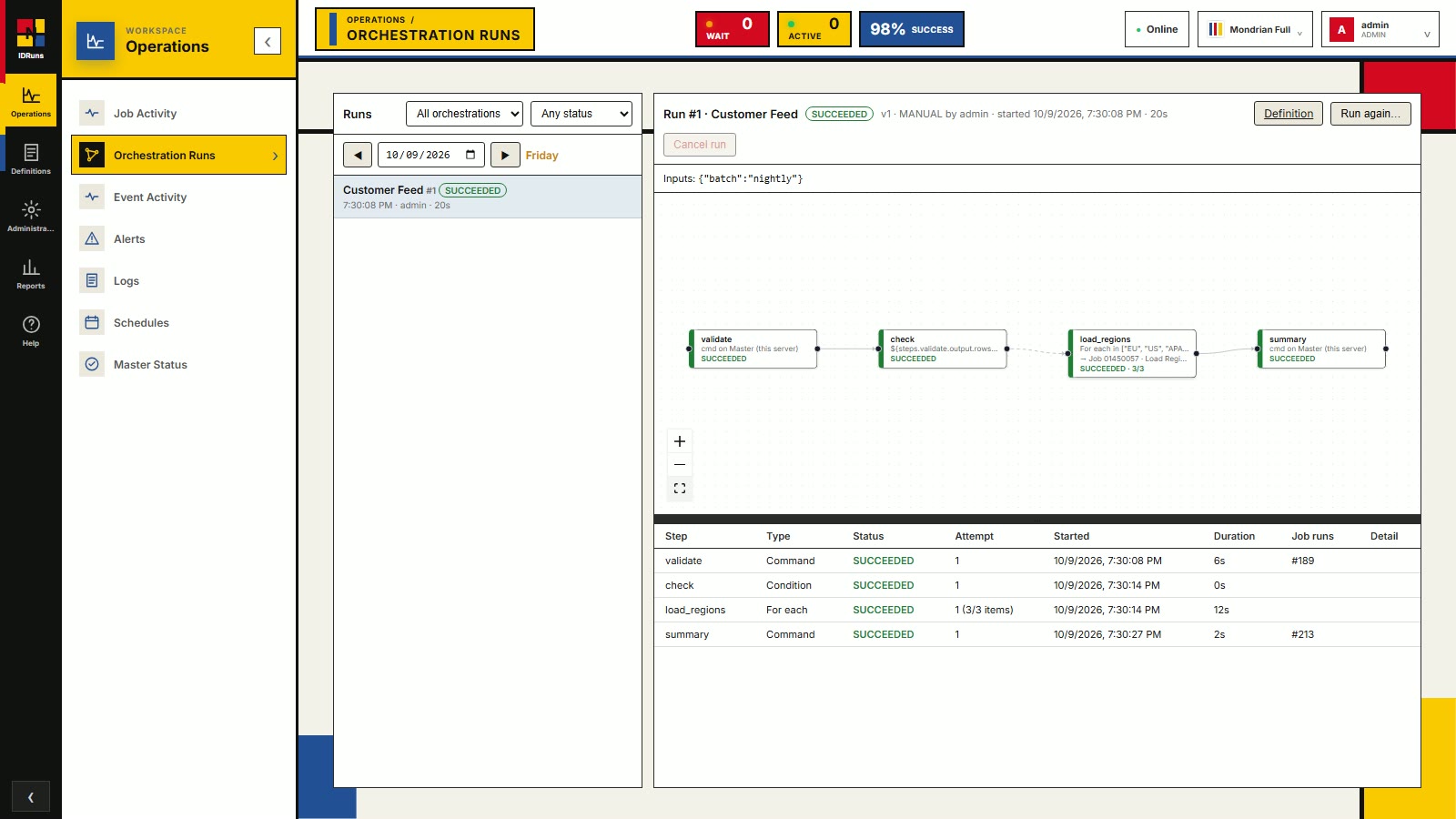
Operations
Orchestration runs
Follow a pipeline live. Each step lights up as it runs, with a step table showing type, status, attempts, start time, duration and the job run it launched. Re-run from the same screen or jump to the definition.
-
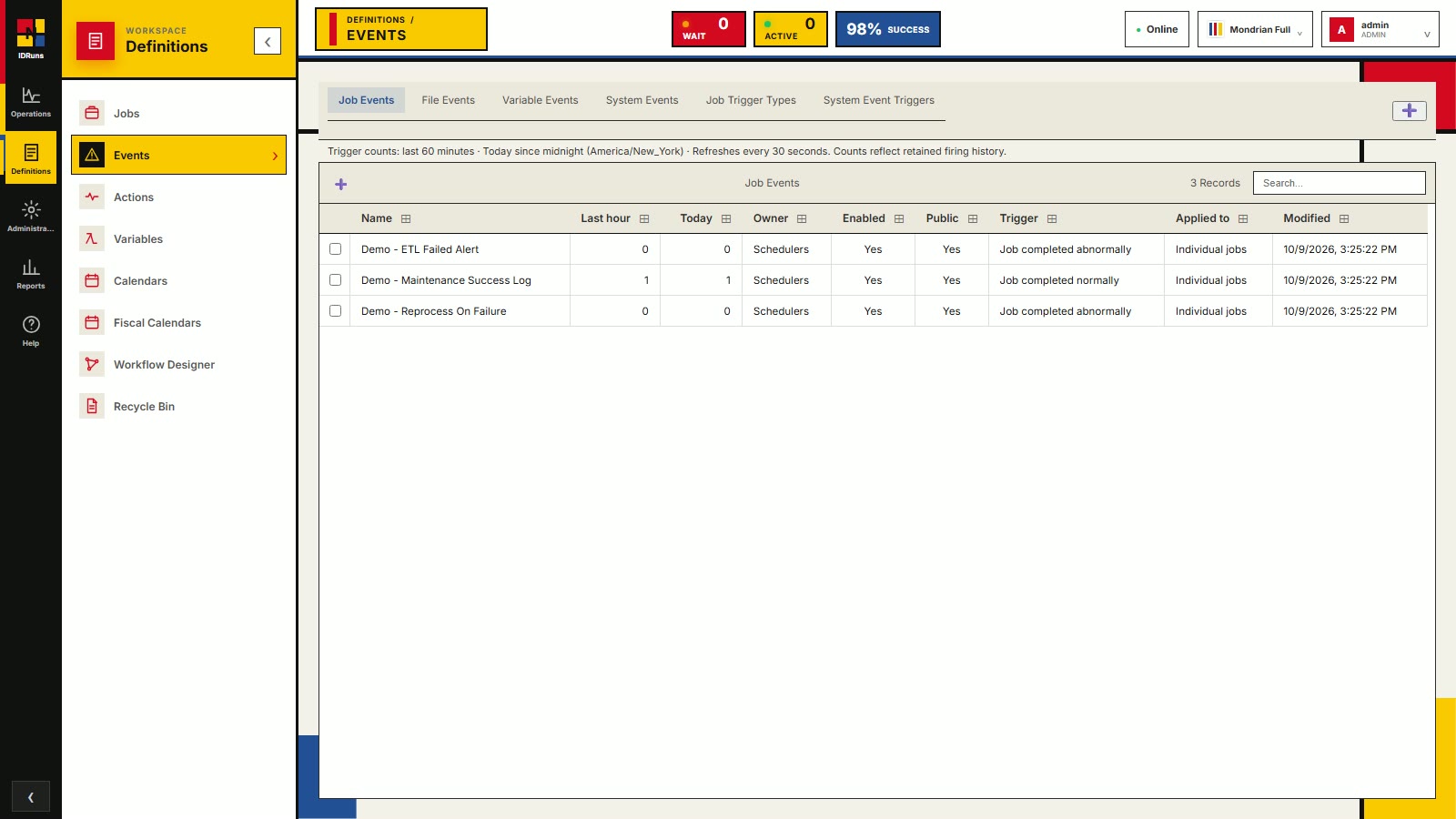
Definitions
Events
React to what jobs do. Job events trigger when a job completes normally or abnormally, with firing counts for the last hour and today. Further tabs cover file, variable and system events.
-
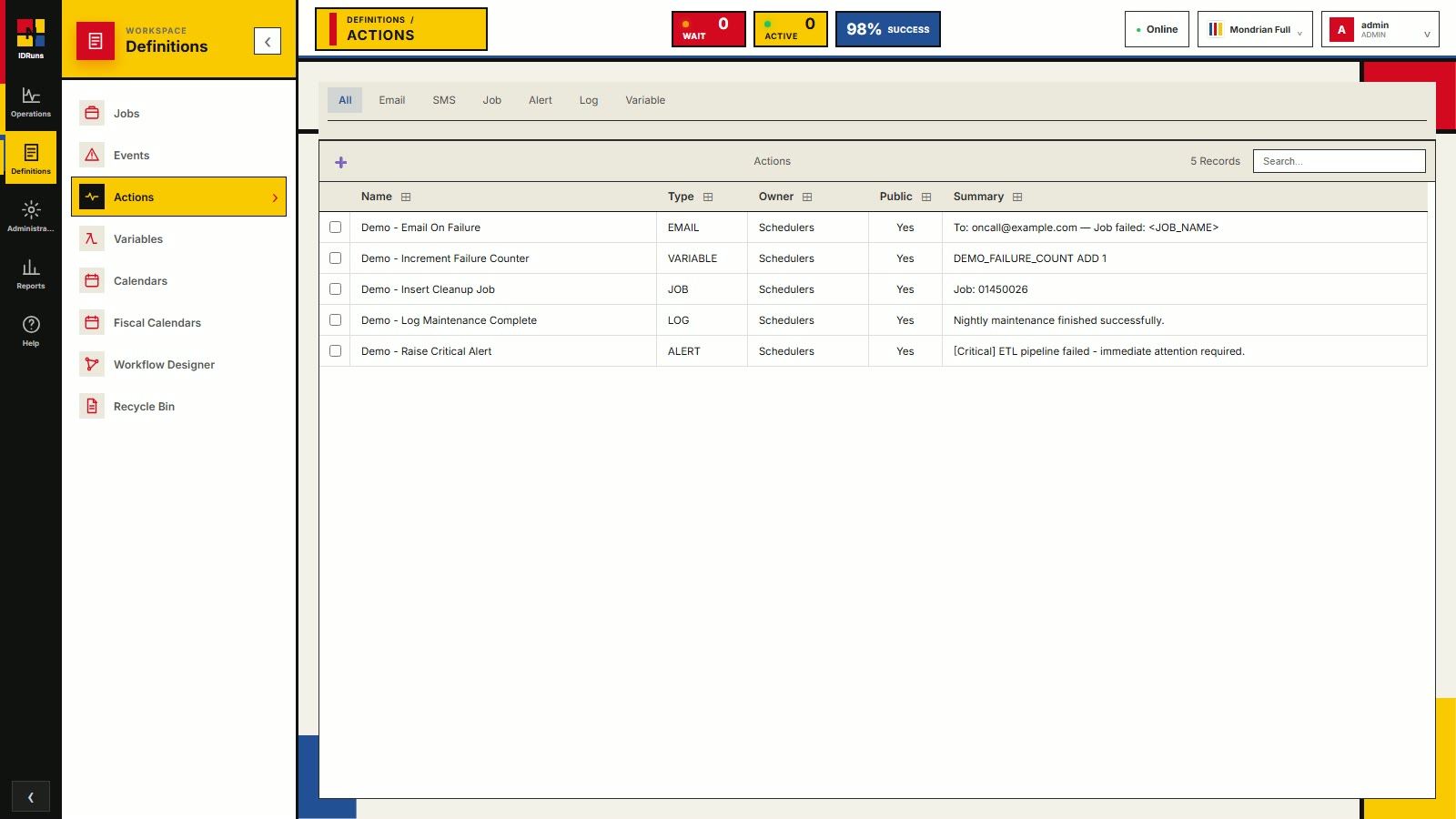
Definitions
Actions
Reusable responses that events run: send an email or SMS, start another job, raise an alert, write a log message, or change a variable.
-
Definitions
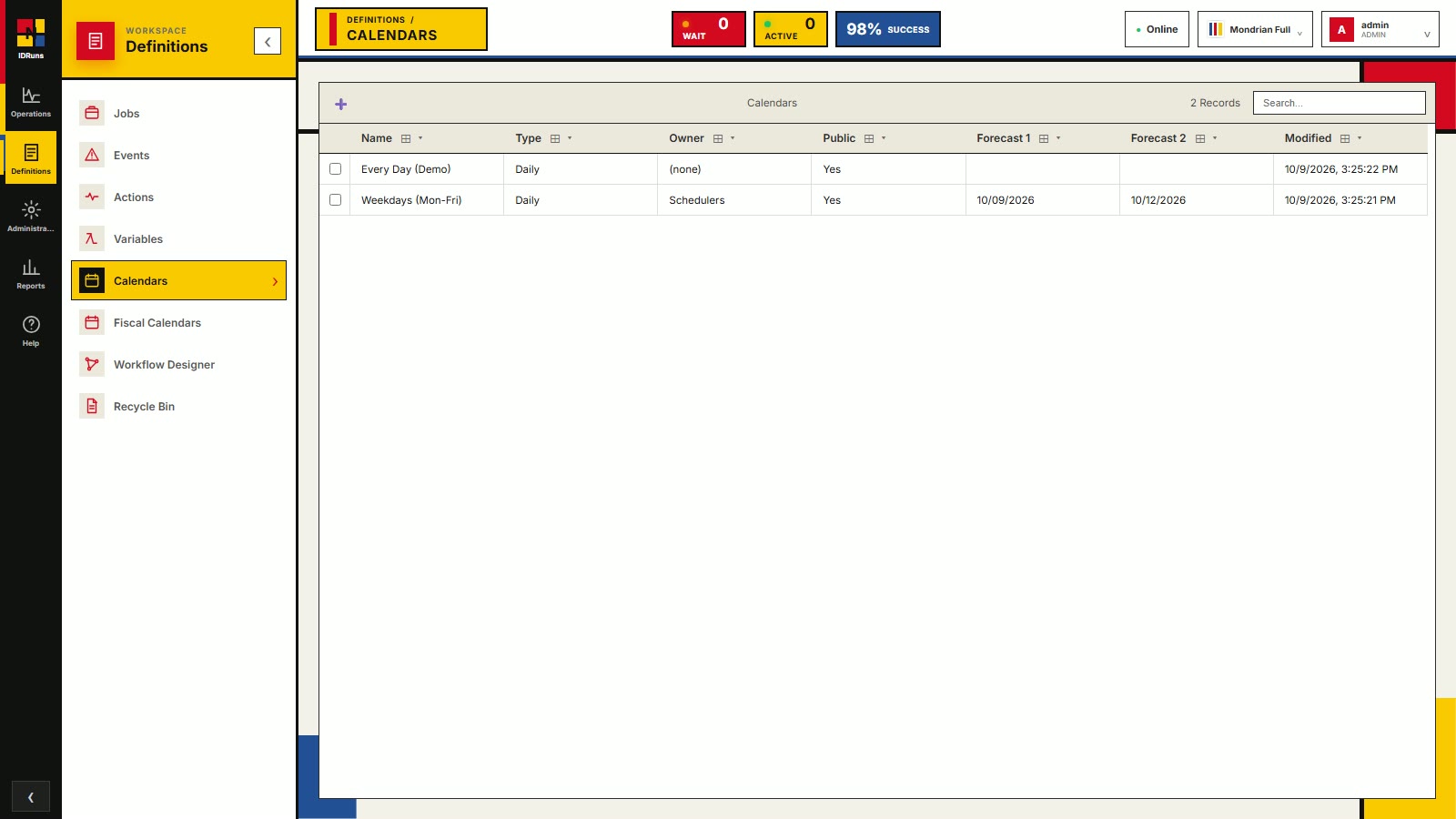
Calendars
Calendars decide which days a job runs: every day, weekdays only, or your own rules. Forecast columns show the next run dates, and fiscal calendars are supported alongside regular ones.
-
Operations
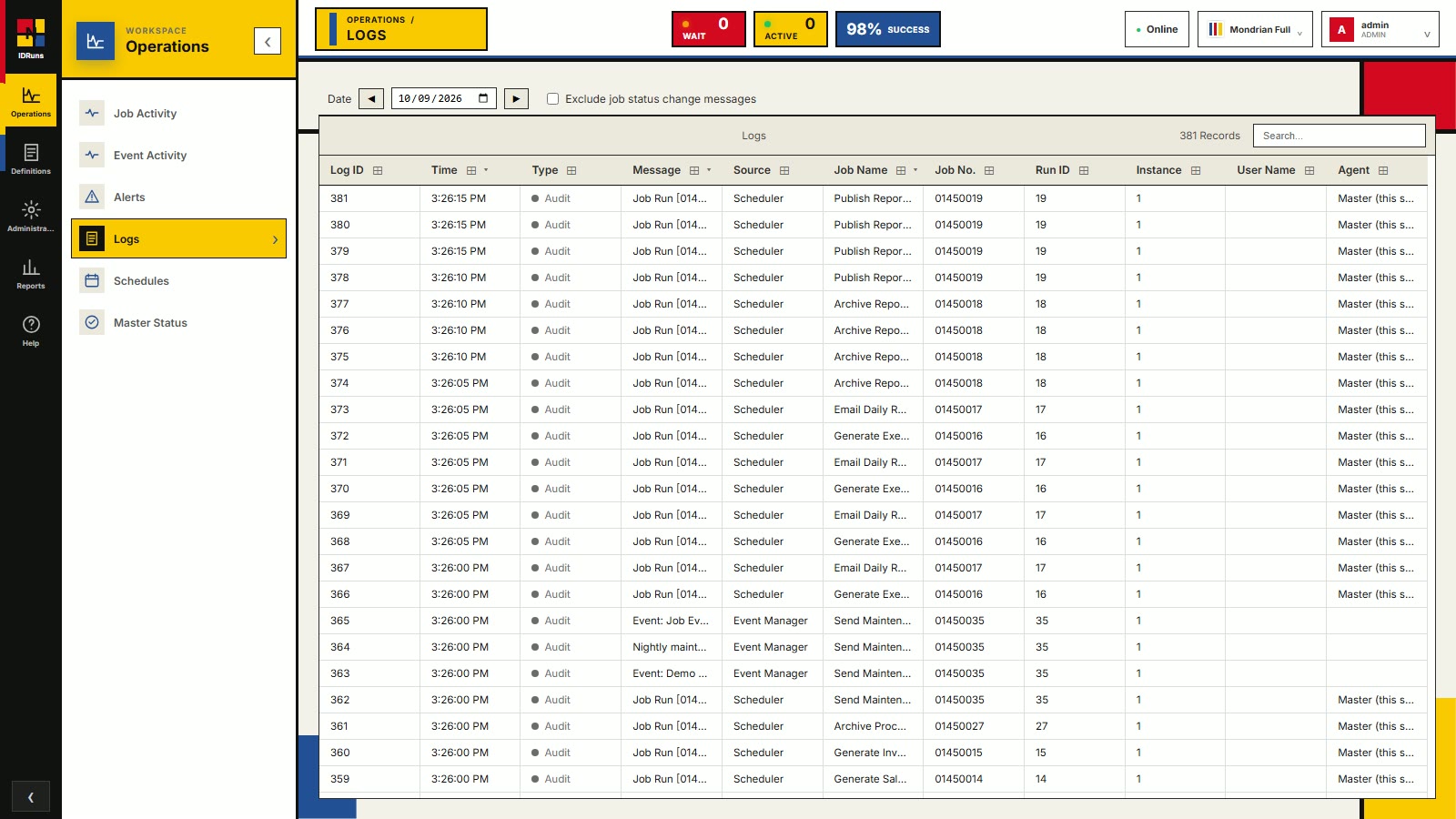
Logs and audit trail
Every state change and event is recorded and searchable, with time, message, source, job, run ID and agent. Filter by date, or hide routine status-change messages.
-
Reports
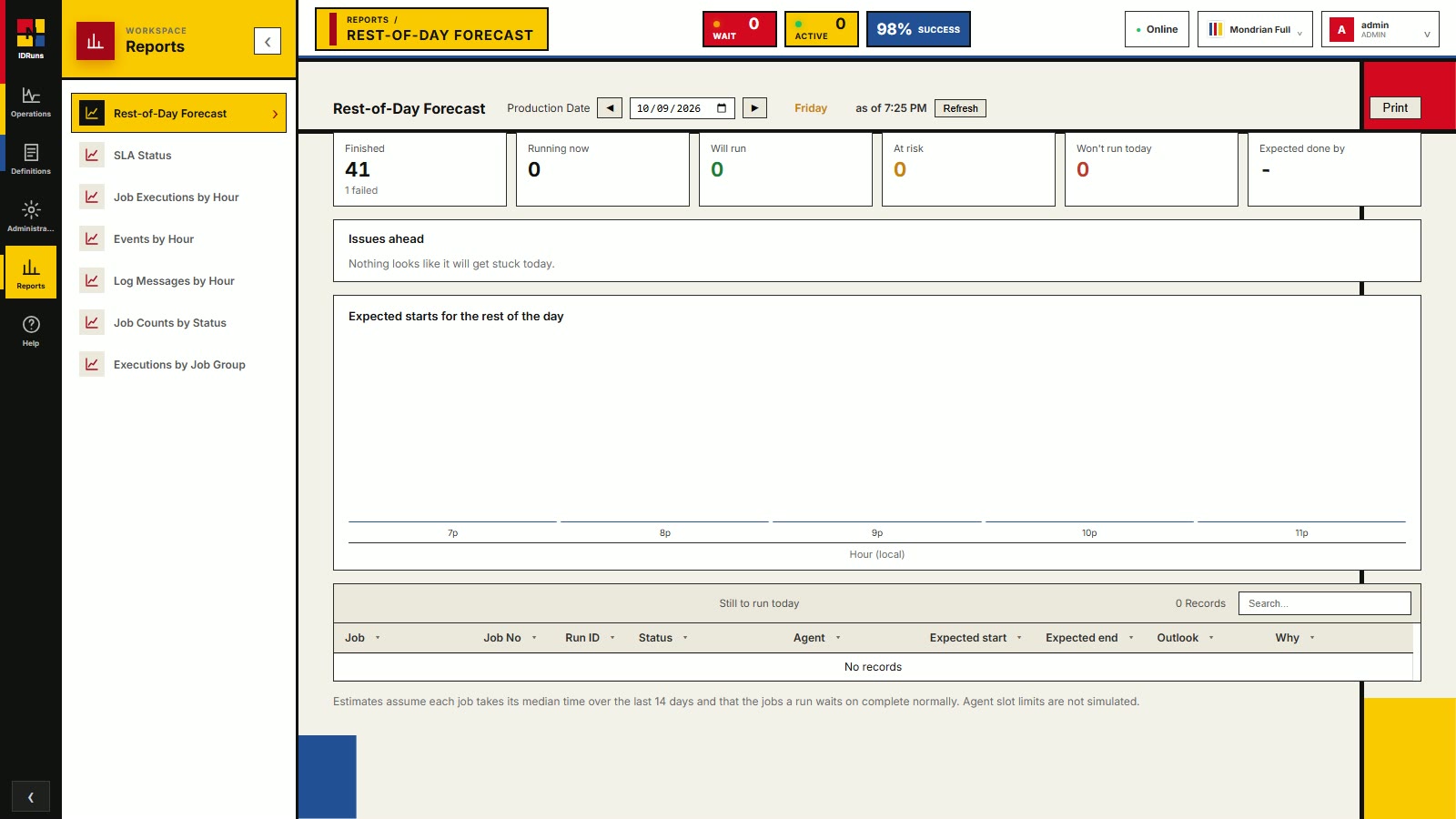
Rest-of-day forecast
See how the day will finish: jobs finished (and failed), running now, still to run, at risk, and the expected done-by time. A chart shows expected starts for the rest of the day, and an issues panel calls out anything likely to get stuck.
-
Reports
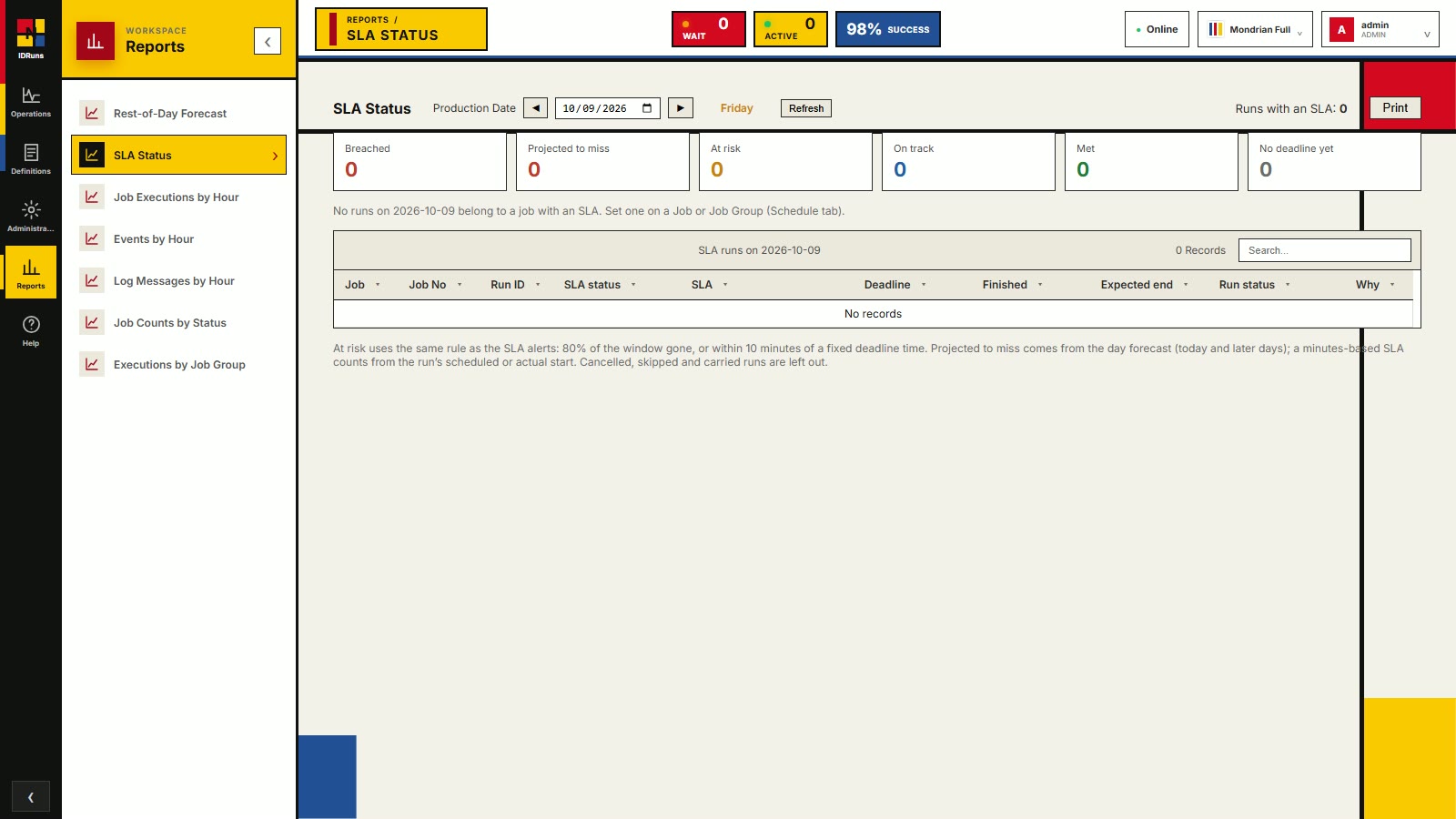
SLA status
Track runs against their SLA deadlines: breached, projected to miss, at risk, on track and met. Set an SLA on a job or group and it shows up here with its deadline and expected end.
-
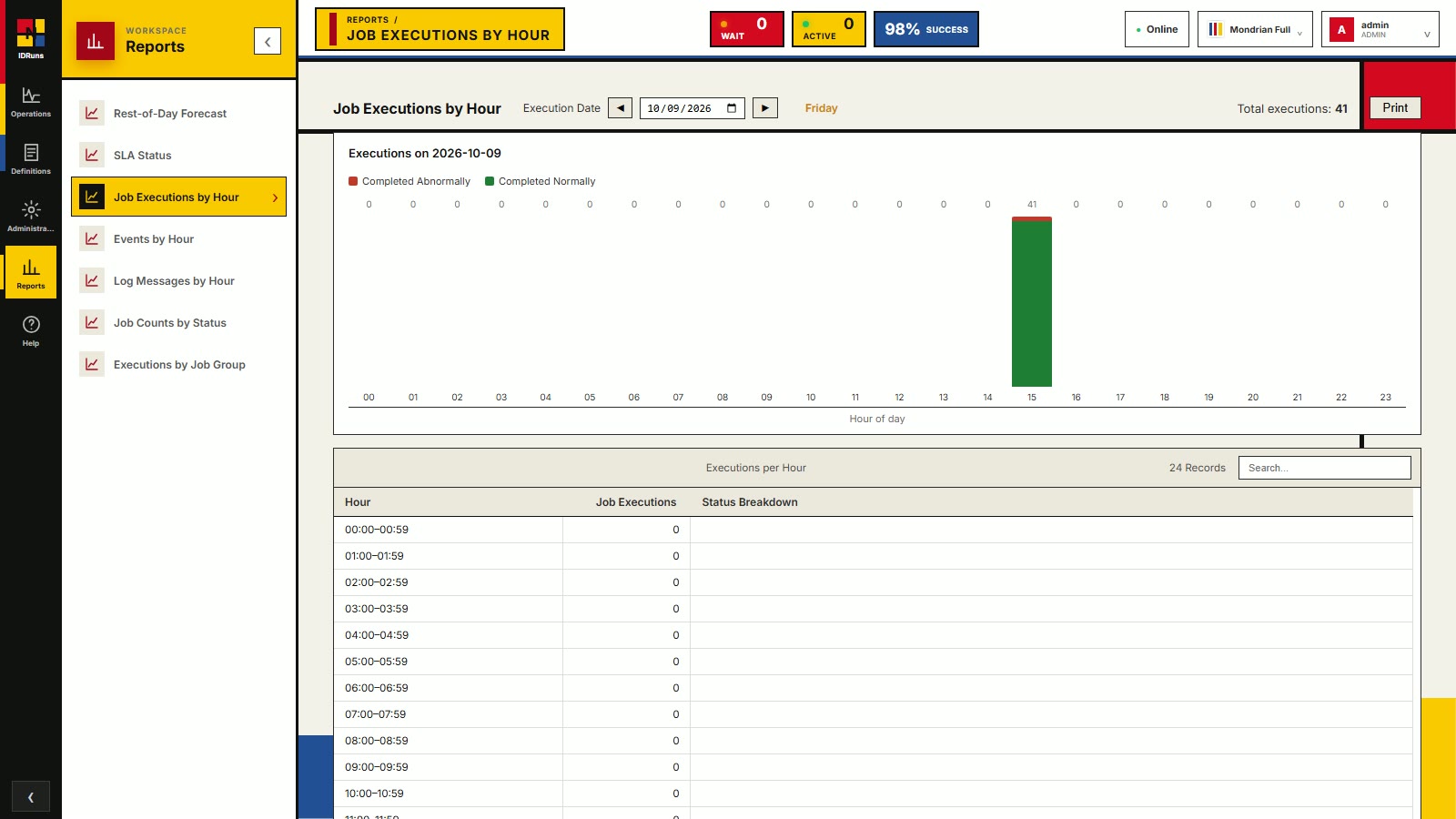
Reports
Job executions by hour
How many jobs ran in each hour of the day, split into completed normally and completed abnormally, with an hourly detail table underneath. Spot busy windows and failures at a glance.
-
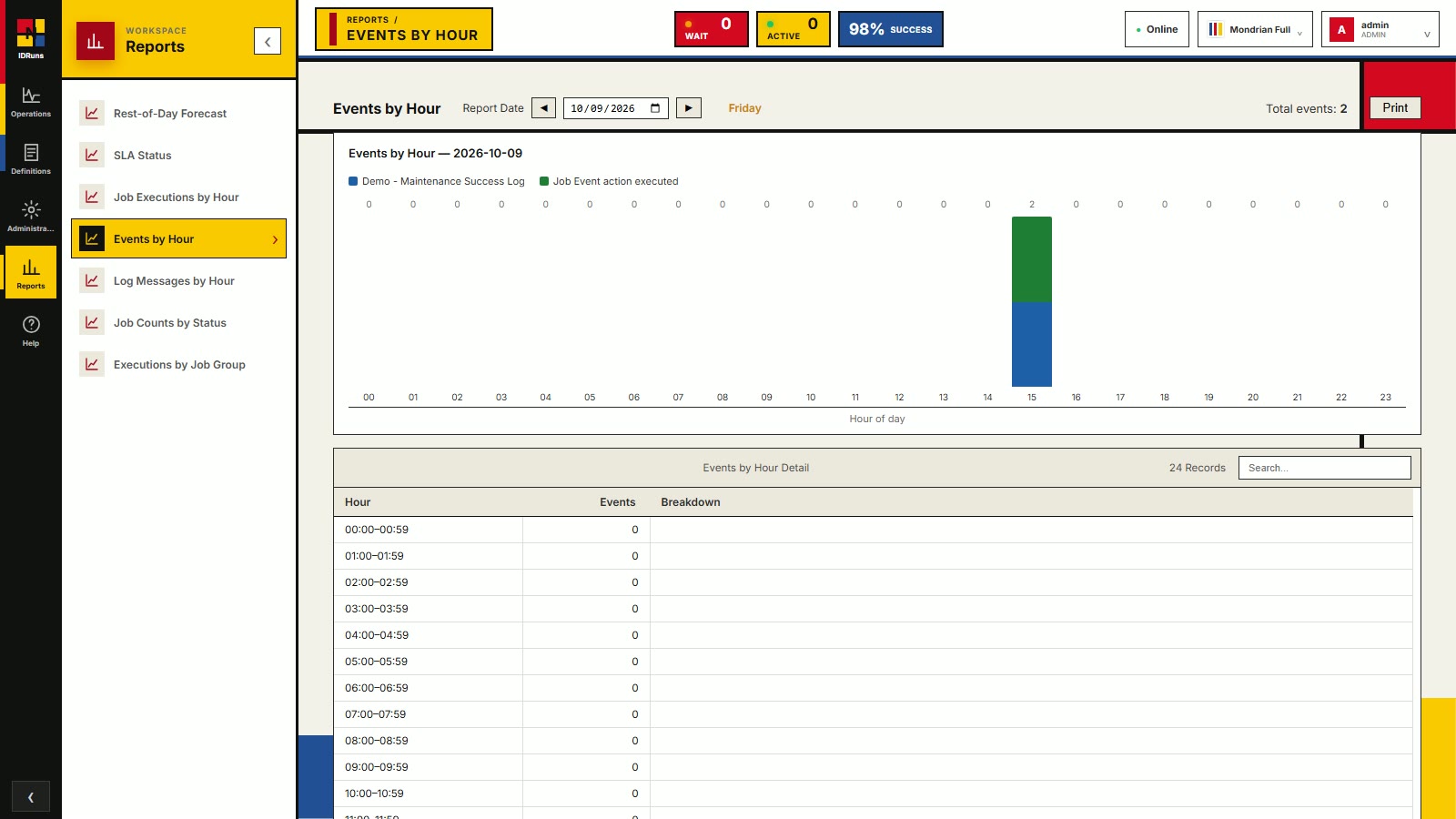
Reports
Events by hour
Events fired per hour, broken down by event, so you can see when alerts, notifications and automated reactions actually happened.
-
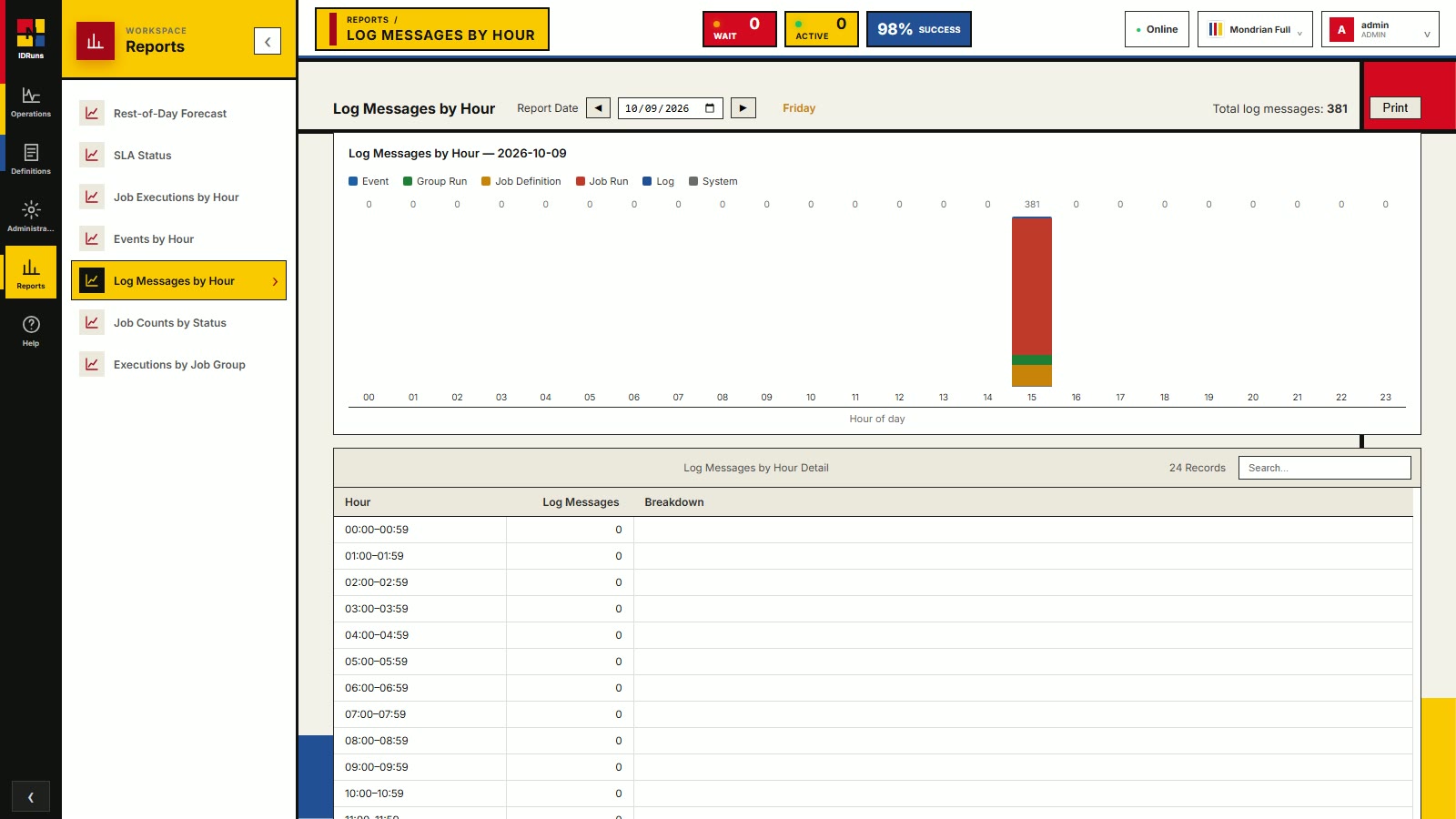
Reports
Log messages by hour
Log volume per hour by category: event, group run, job definition, job run, log and system messages. Handy for spotting unusual activity or noisy periods.
-
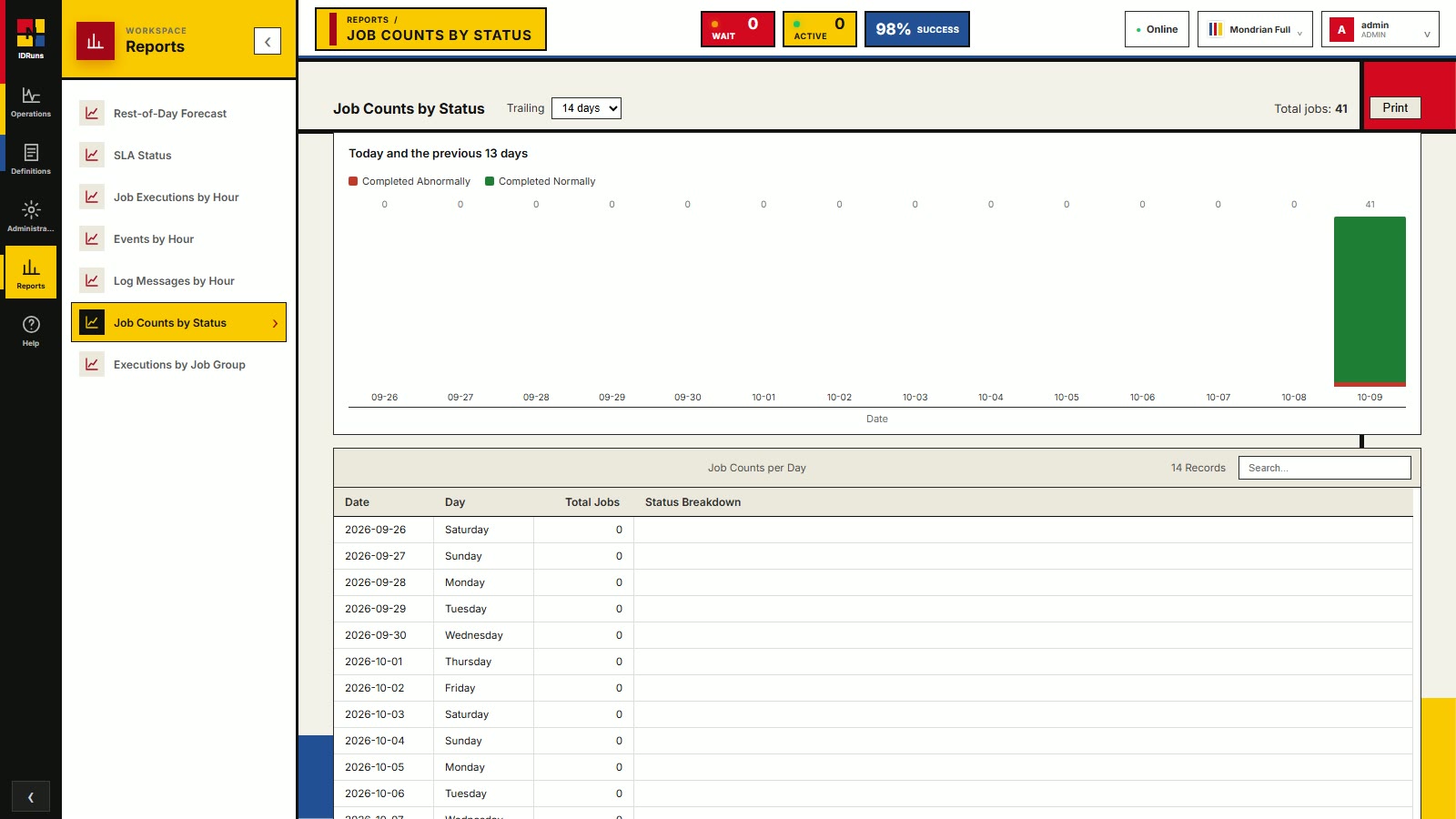
Reports
Job counts by status
Daily job totals for today and a trailing window of days, split by status, so trends in volume and failures are easy to see.
-
Reports
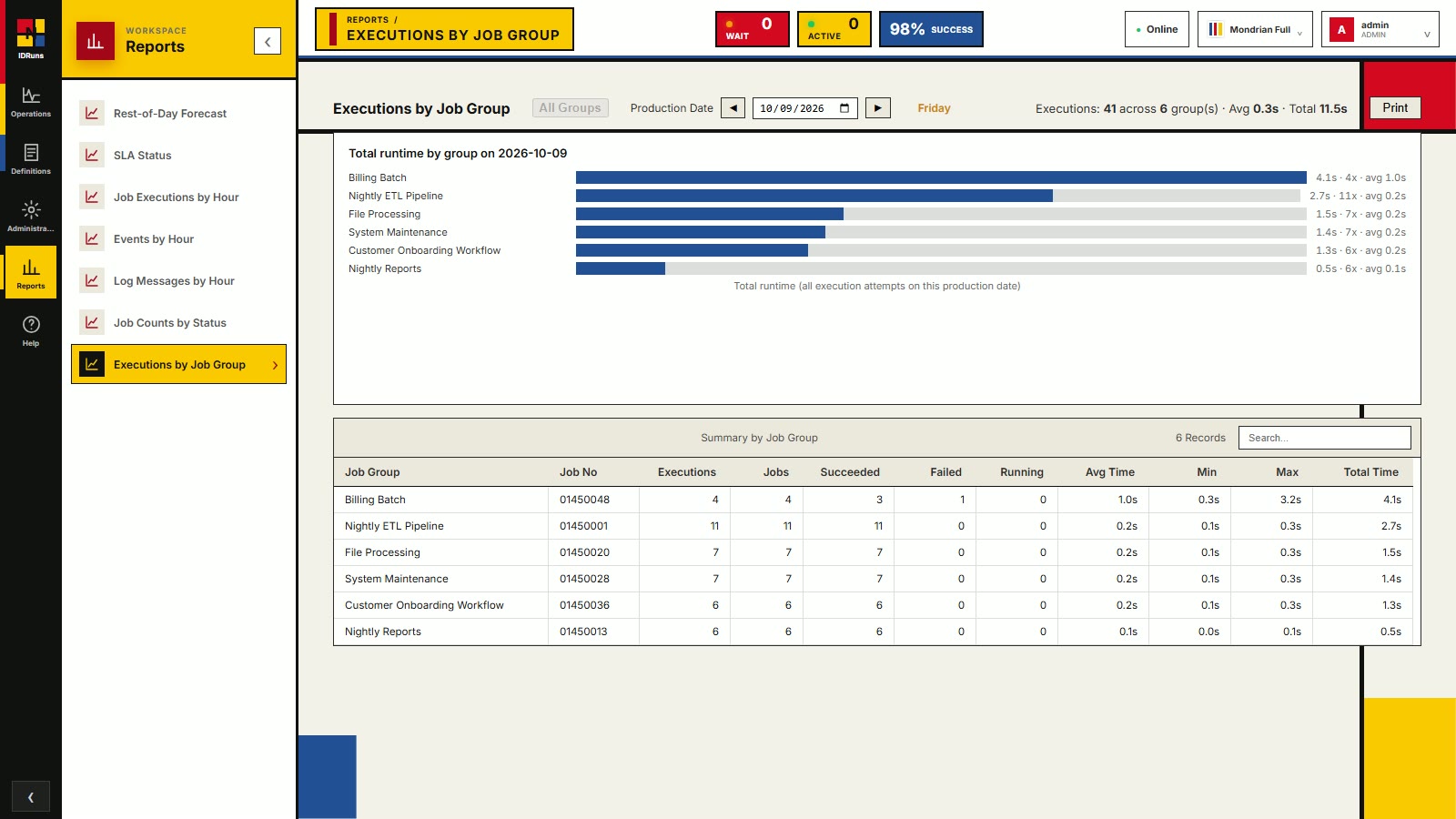
Executions by job group
Total runtime per job group for the day, with a summary table of executions, jobs, succeeded, failed, running, and average, minimum, maximum and total time. Use it to find the groups that cost the most.
-
Administration
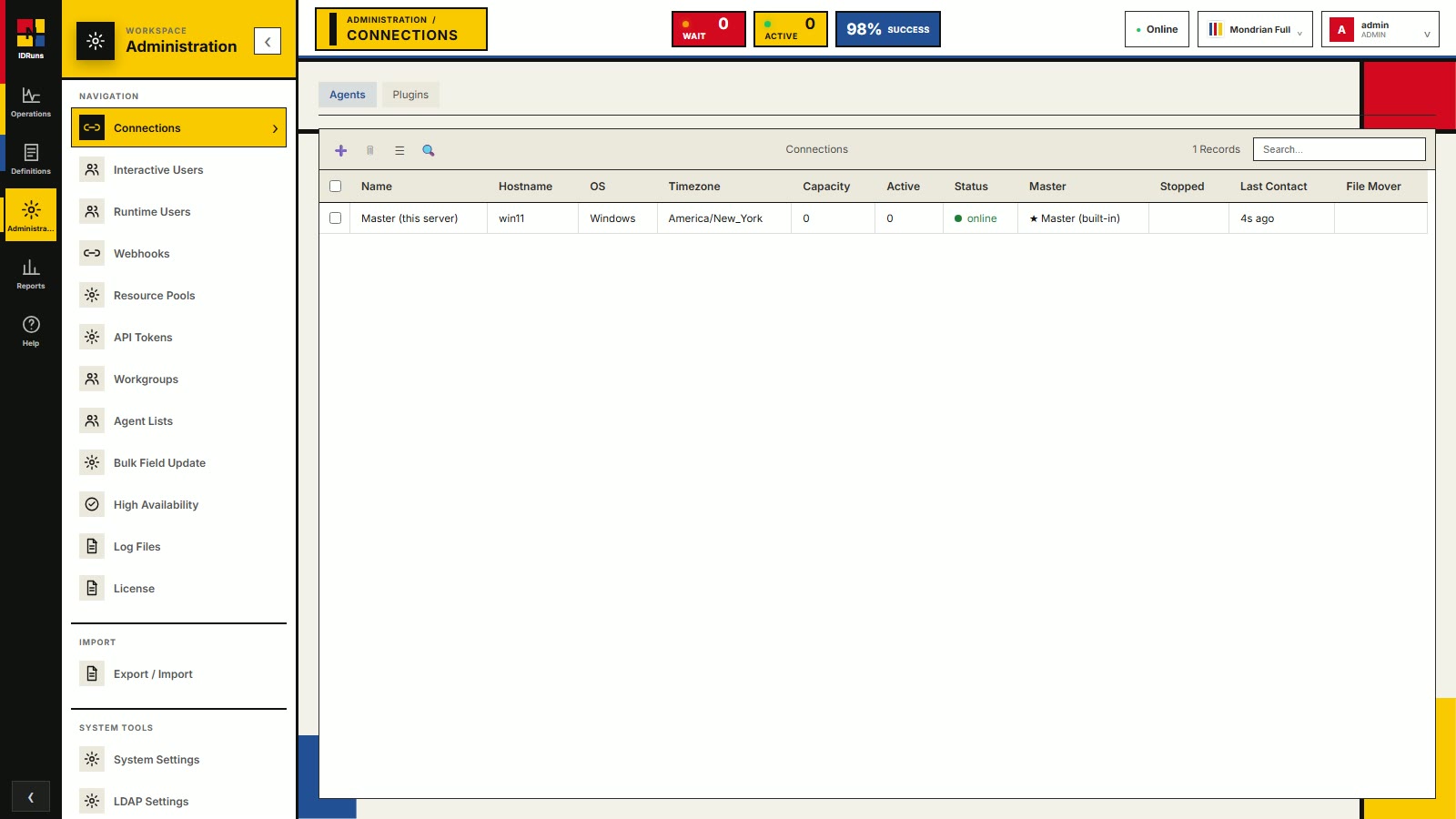
Agents and connections
Agents run your jobs on any machine. See hostname, operating system, capacity, active jobs, status and last contact in one place, with a Plugins tab alongside. Users, webhooks, API tokens and more live in the same workspace.
Try the real thing
The live demo is a full IDRuns instance running on our network, and it opens right here in your browser. Explore Job Activity, build a job, watch it run.
Demo credentials: demo / demo.
Prefer to run it yourself? idruns.exe is a
self-contained Windows build — no installer; admin rights only if you install it as a service.
- Download
idruns.exeusing the button above. - Run it from a command prompt.
- Answer the setup wizard: admin username/password, which network addresses to listen on, integrated database or SQL Server (use SQL Server for production), and whether to enable demo mode.
- Your answers are saved to
idruns.env, so you're not asked again. - Choose Yes when it offers to install IDRuns as a service: Windows asks for administrator
rights, then IDRuns starts with the computer and keeps running after you sign out. Choose No to just try it
in that window; you can run
idruns.exe install-servicelater. - IDRuns opens in your browser. If it doesn't, go to
http://localhost:8010.
Linux: download idruns,
then chmod +x idruns && ./idruns for the same setup wizard.
sudo ./idruns install-service registers a systemd service.